A day that makes sense.
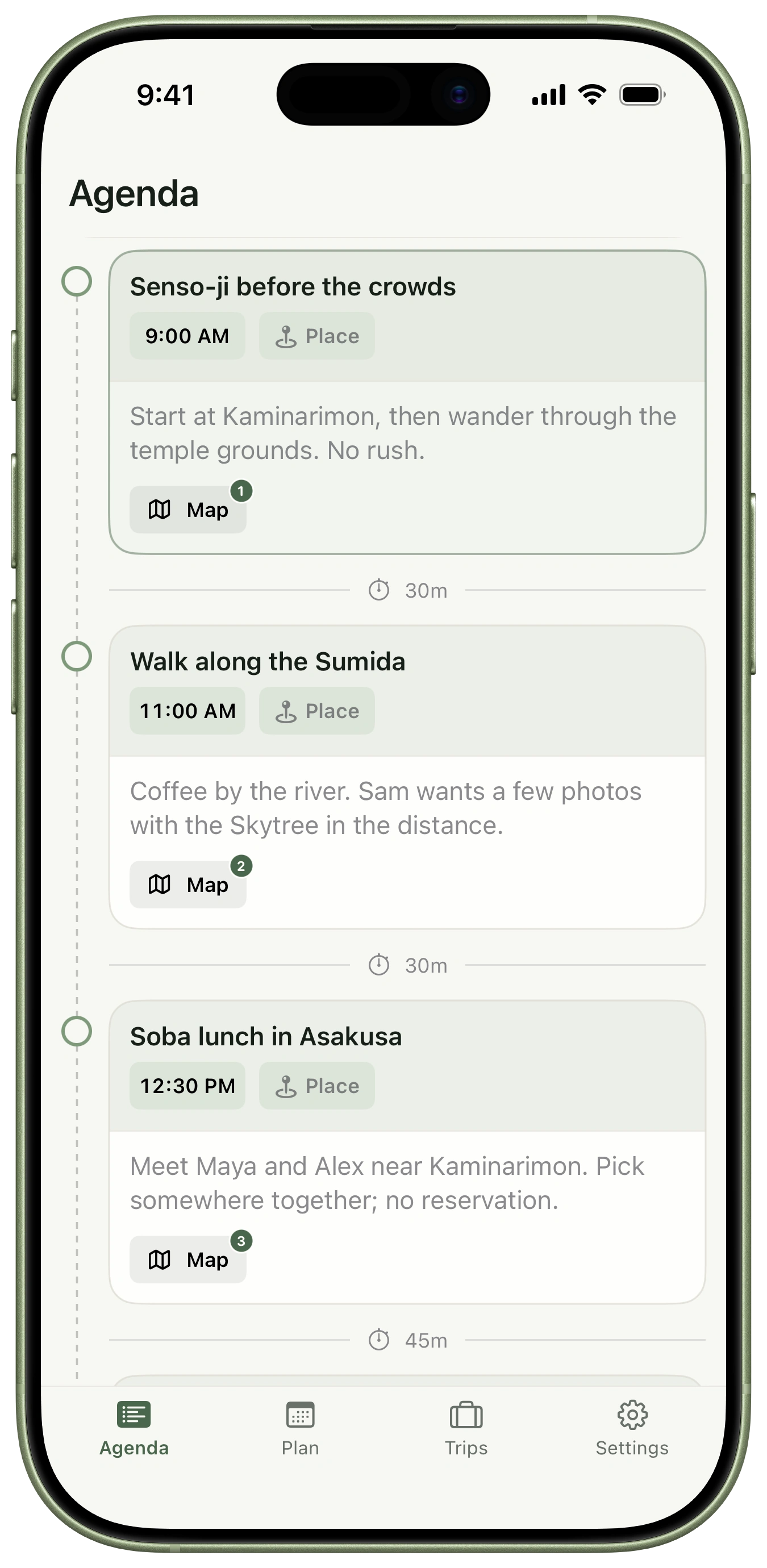
A clear timeline, a map of the day, and a week you can move through. Your next stop and its details stay close.
- Day-by-day agenda and maps
- Destination time and weather
- Flights, stays, and reservations in context

 Launch updates
Simple travel planning
Plan your days, keep travel details together, and share your trip. A calm travel planner for iPhone.
Three weeks across four cities.
Wednesday, October 14. A slower day in Asakusa.
A place for every plan
From three weeks across Asia to what’s happening after lunch. The right amount of detail, right when you need it.
A clear timeline, a map of the day, and a week you can move through. Your next stop and its details stay close.
Zoom out to the whole trip, settle into a week, or work through a day. Keep saved ideas nearby until they find their place.
Keep upcoming trips and the ones you still think about together. Open a trip, share a copy, or take a summary with you.
Real app screenshots from one thoughtfully planned sample trip.
Plan with your friends Tripstead+
Maya adds the museum, Alex sorts the train, and Sam finds the kitchen shops. Everyone helps shape the same trip, and Trip History shows who changed what.
Built exclusively for Apple. Everyone collaborating needs Tripstead on iPhone, an iCloud account, and an active Tripstead+ subscription.
Prefer to send the plan? Sharing a separate trip copy is included in Basic.
The Asia chapter
Dinner back in Ginza, October 14 at 7:00 PM
You made an edit,
Kappabashi kitchen shops, October 14 at 2:30 PM
Sam made an edit,
Shinkansen to Kyoto, October 18 at 10:00 AM
Alex made an edit,
Tokyo National Museum, October 15 at 10:00 AM
Maya made an edit,
Offline Summary Tripstead+
Before you leave, turn your itinerary into a clean PDF. Save it to your phone, send it to your friends, or tuck a printed copy in your bag.
Your saved plans also stay available in the app offline. Live updates and iCloud changes catch up when you’re connected.
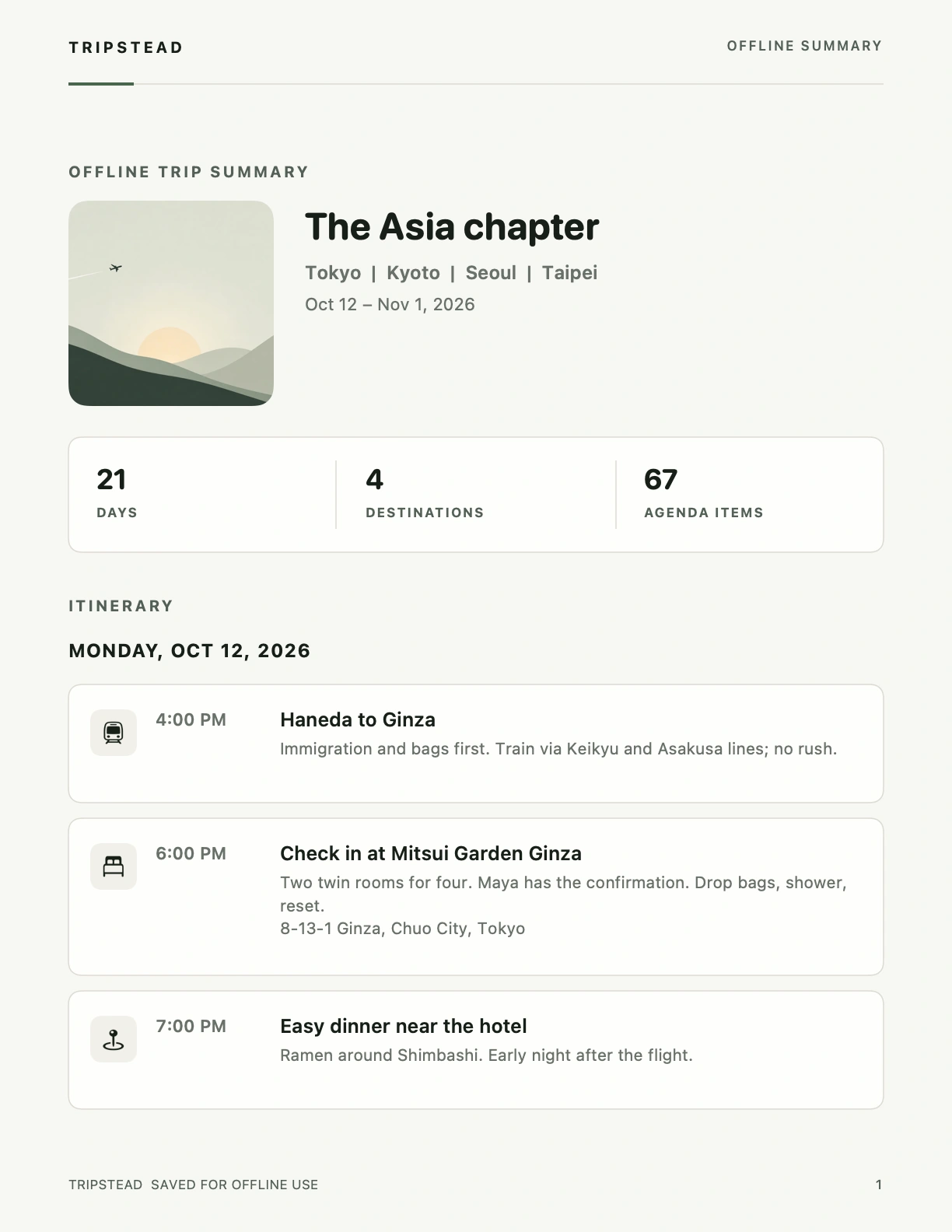
An actual Offline Summary, exported from Tripstead.
Nothing unnecessary
No ads. No affiliate commissions. No crowded discovery feed.
Just a thoughtful place to plan the trip you actually want to take.
No scores to chase or feeds to scroll. Every feature has a job: helping you plan.
Tripstead doesn’t earn a commission from your hotel, restaurant, or activity choices.
Revenue comes only from app subscriptions. A better planning app is the whole business.
BASIC AND TRIPSTEAD+
Start with Basic. Choose Tripstead+ for unlimited trips and helpful travel tools.
| Feature | Basic | Tripstead+ |
|---|---|---|
| Trips you can create | 2 lifetime trips | Unlimited |
| Cities per trip | Up to 3 | Up to 10 |
| Agenda, Next Up and trip planning | Included | Included |
| Saved ideas and packing | Included | Included |
| Important Info and saved flight details | Included | Included |
| Boarding passes, countdown, local time and weather | Included | Included |
| Share an independent trip copy | Included | Included |
| Live flight updates | — | Included |
| Flight change notifications | — | Included |
| iCloud collaboration | — | Included |
| Smart Import | — | Included |
| Optimize Day | — | Included |
| Offline Summary PDF | — | Included |
Basic includes 2 lifetime trips. Deleting a trip does not restore a creation slot.
Your existing trips and saved details stay available after a subscription ends. Tripstead+ is required to keep using premium tools.
Monthly and yearly subscription prices are shown in the app in your App Store currency. Eligible first-year offers show the introductory price and annual renewal price before purchase.
You can plan locally and purchase Tripstead+ without Sign in with Apple. iCloud features need an iCloud account.
Your saved plans and travel details stay available in the app offline. Live flight updates and iCloud changes need a connection. With Tripstead+, you can also export an Offline Summary PDF before you leave.
Yes. Each collaborator needs Tripstead on iPhone, an iCloud account, and an active Tripstead+ subscription. Sharing an independent trip copy is included in Basic.
Your existing trips, cities, and saved information stay available. Premium tools stop when your subscription ends. Basic creation limits apply to new trips, and you cannot expand a trip beyond the Basic city allowance.
Basic includes 2 lifetime trip creations. Deleting or archiving a trip does not restore a creation slot.
Tripstead launches for iPhone with iOS 17 or later.
YOUR NEXT TRIP STARTS HERE
Simple travel planning. Nothing unnecessary.
The App Store download will be available here at launch.
Request a launch emailOpens your email app. Send the request to receive one launch email.
Your address is used for this request. You can withdraw it by emailing us.